Firework
Project Summary
Firework is an interactive audiovisual project created in TouchDesigner. The project uses Google MediaPipe for gesture detection from a camera feed, and was also my first experience working with 3D, POPs, and audio CHOPs within TouchDesigner.
Accomplishments
Interaction Design
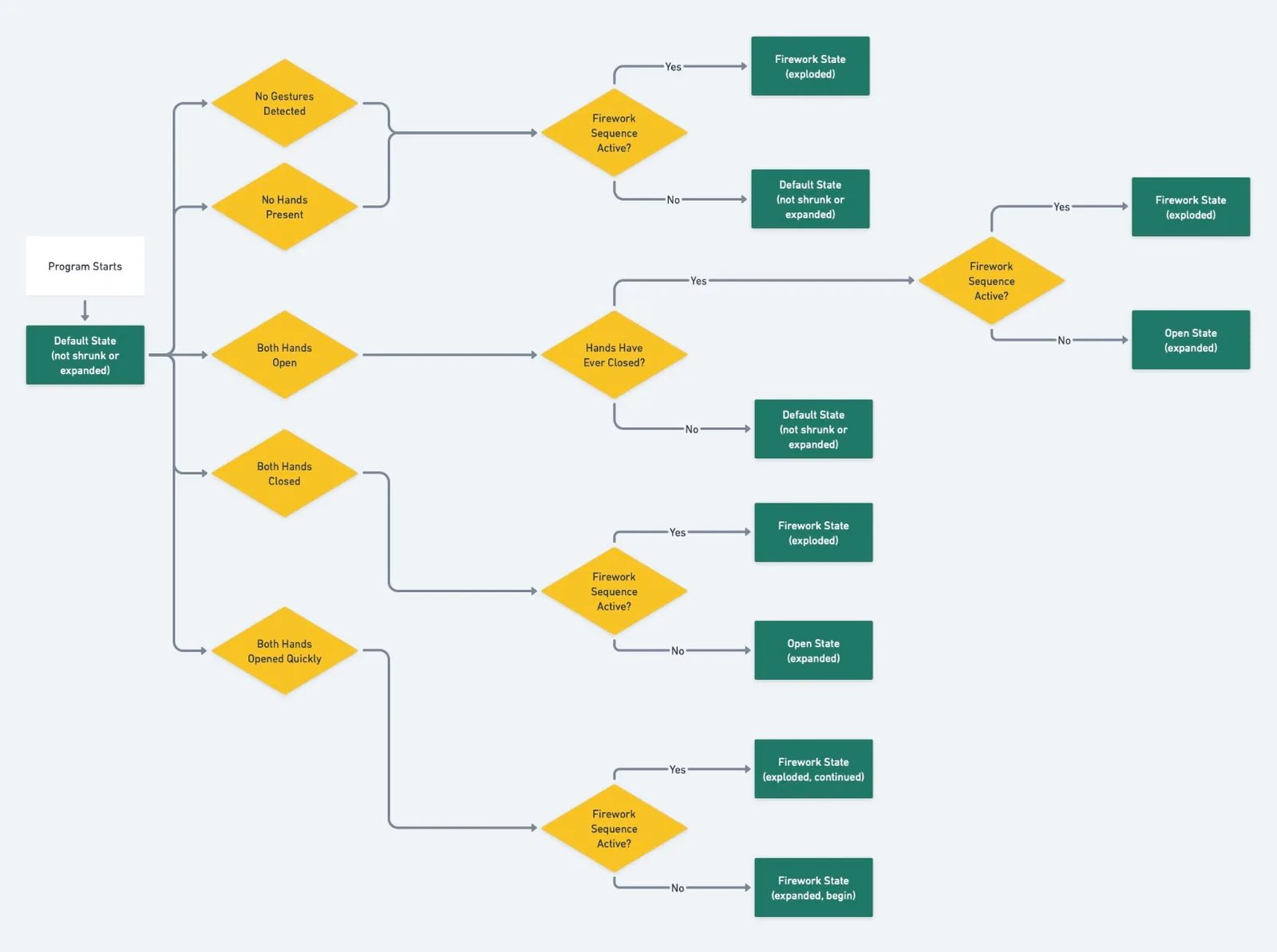
There are three main interactions a user can have based on their hands in this project:
- Closing both hands to bring the cubes together
- Opening both hands slowly to spread the cubes apart
- Opening both hands quickly to start the firework explosion effect
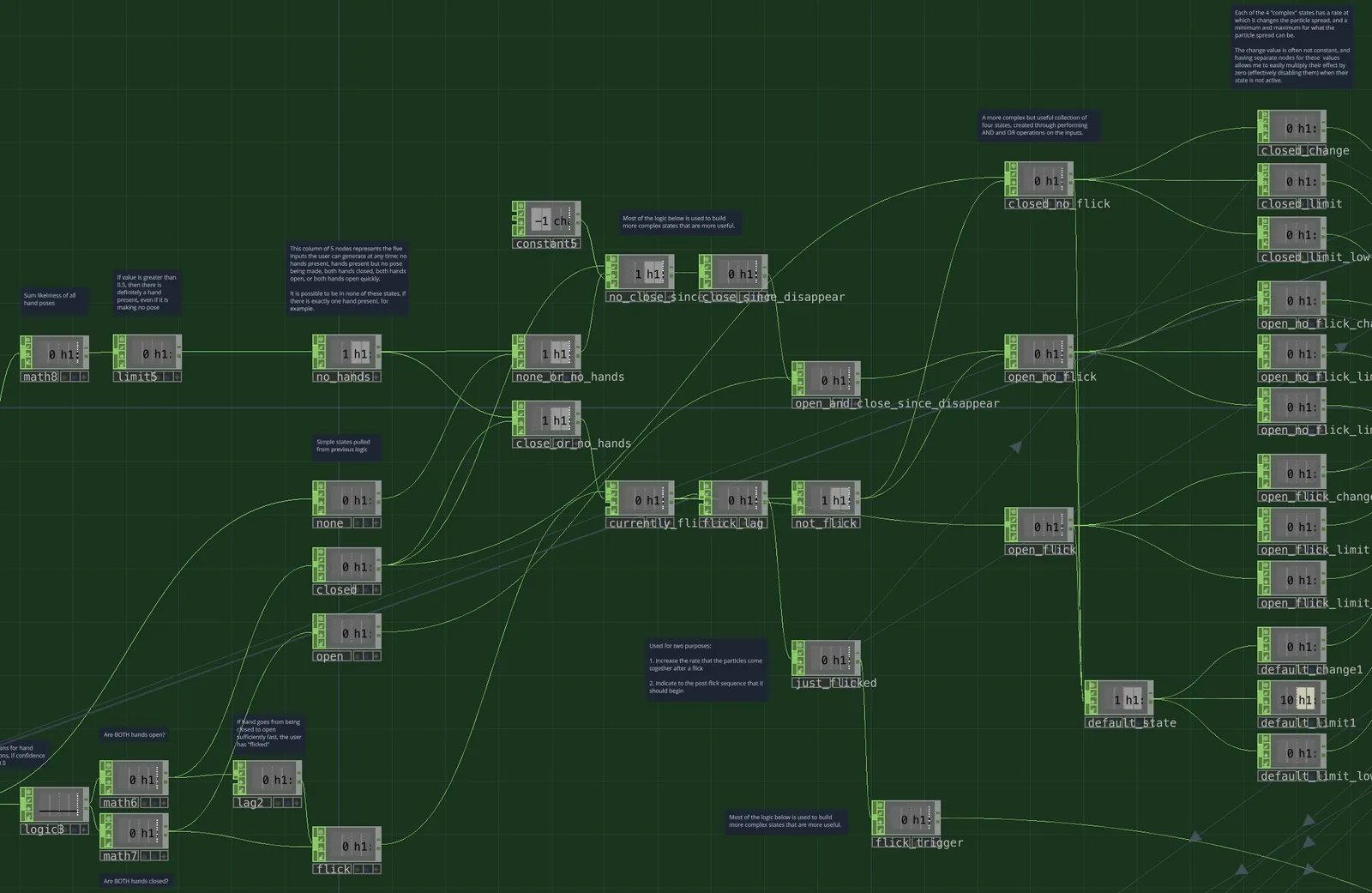
The project uses a state machine to determine what the program should do at any time, based on the current state and which one of those three gestures the user is currently performing.
State Machine Flow
State Machine in TouchDesigner
What I Learned
Advanced TouchDesigner Skills
This was my final project for my ARTT370 (Elements of Digital Media) course, and as such I wanted it to be a culmination of all of the skills I had learned, and to push those skills even further. This project required use of many different features of TouchDesigner:
- TOPs for generating particle data on the GPU
- CHOPs for both logic and audio
- SOPs/POPs for 3D geometry
- MATs for materials
- COMPs for putting together the 3D environment
- Google MediaPipe Plugin for gesture detection
Iterative Design Process
This project went through many stages, with the first stage actually being a simple firework that didn't utilize gesture detection or even the camera feed. This foundation would be extremely important, inspiring how I would create the shrink/grow effects and teaching me how to play audio in TouchDesigner.
Once I had decided on the concept of portraying the user and using gesture detection, though, there were still many stages of iteration on the visuals and interaction. Originally, the project used 2D squares instead of cubes. Those squares bounced off of the edges of the screen. After that, I opted to switch to 3D cubes that didn't bounce, which was a lot less chaotic and resembled the original concept of a firework much more. Next, I added in some music and the low pass filter effect when the cubes were shrunk together.
Only after those stages did I begin to implement the cinematic elements of camera movement and music volume changing over time, which added a surprising amount of emotion to the piece, and allowed me to learn a lot as well.
Shortcomings
Learnability
This project requires either a demonstration of how to use it, or written/visual instructions that are separate from the project itself. Users who simply came across it without receiving this kind of instruction probably wouldn't be able to figure out how to interact with the project, and might not realize they can use gestures to control it at all.
Single-User Only
Only one user at a time can interact with the project through gestures, which is a limitation of Google MediaPipe. This makes the project a lot less well-suited for some of the places I would like to display it most, such as public spaces or open galleries.
Future Goals
My future goals for this project follow directly from its shortcomings:
Make It Learnable
When an interaction hasn't been performed in a while, I would like to make the project show a diagram of someone opening and closing their hands. I wouldn't tell them what happens, just give them a hint of what to do.
Support Multiple Users
By switching to an Azure Kinect, I could reliably support multiple users. Technically, MediaPipe can do gesture detection on multiple users, but the results are too inconsistent to put in a proper installation piece.