Creature Box
Project Summary
Creature Box is a multimedia project created by me and Sydney Grant, featuring physical 3D-printed creature toys alongside a digital world in which you can interact with them.
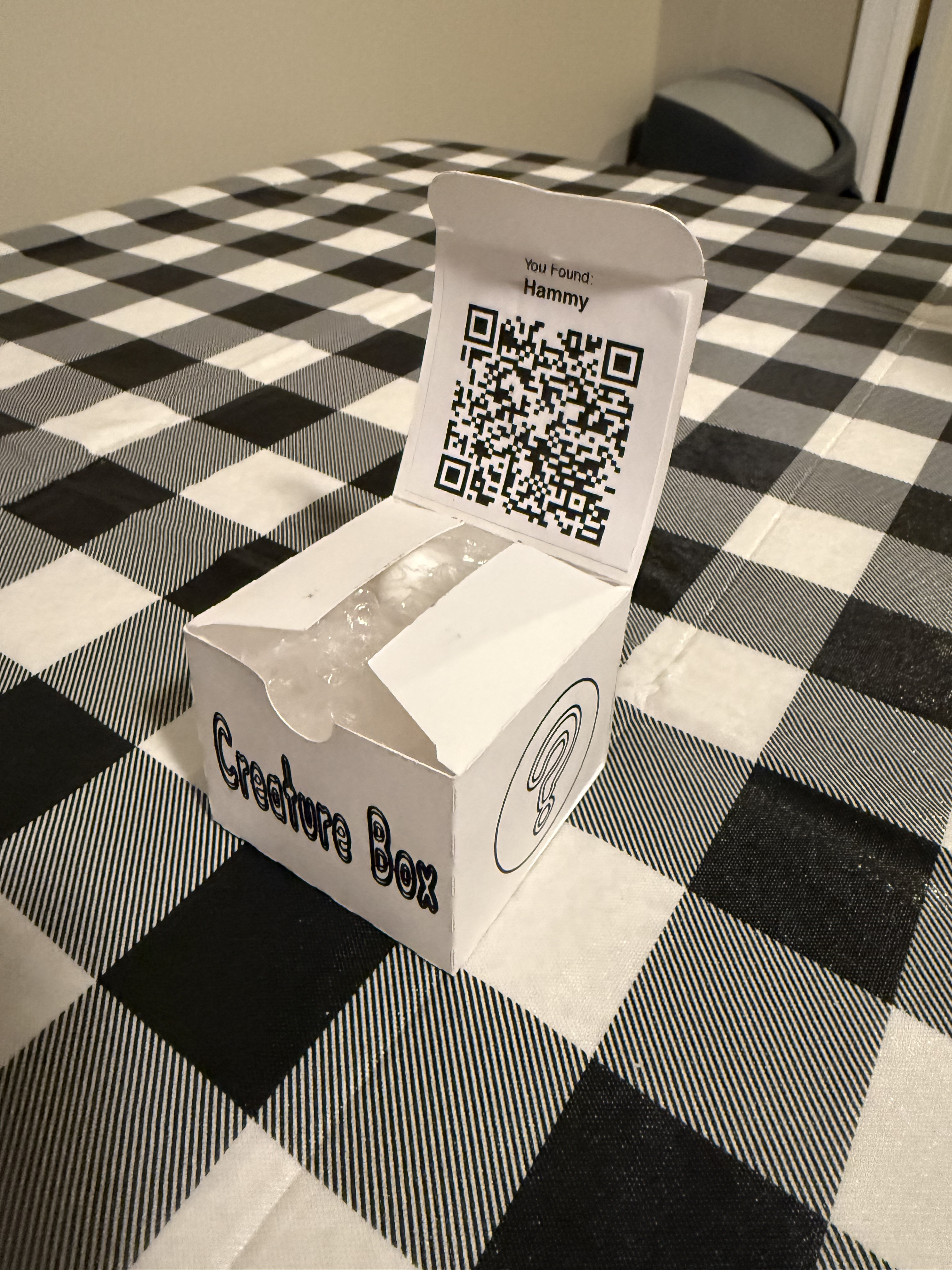
Each creature is a unique collectible, and has its own box and 3D print, along with a QR code to claim the creature on our custom-built website.
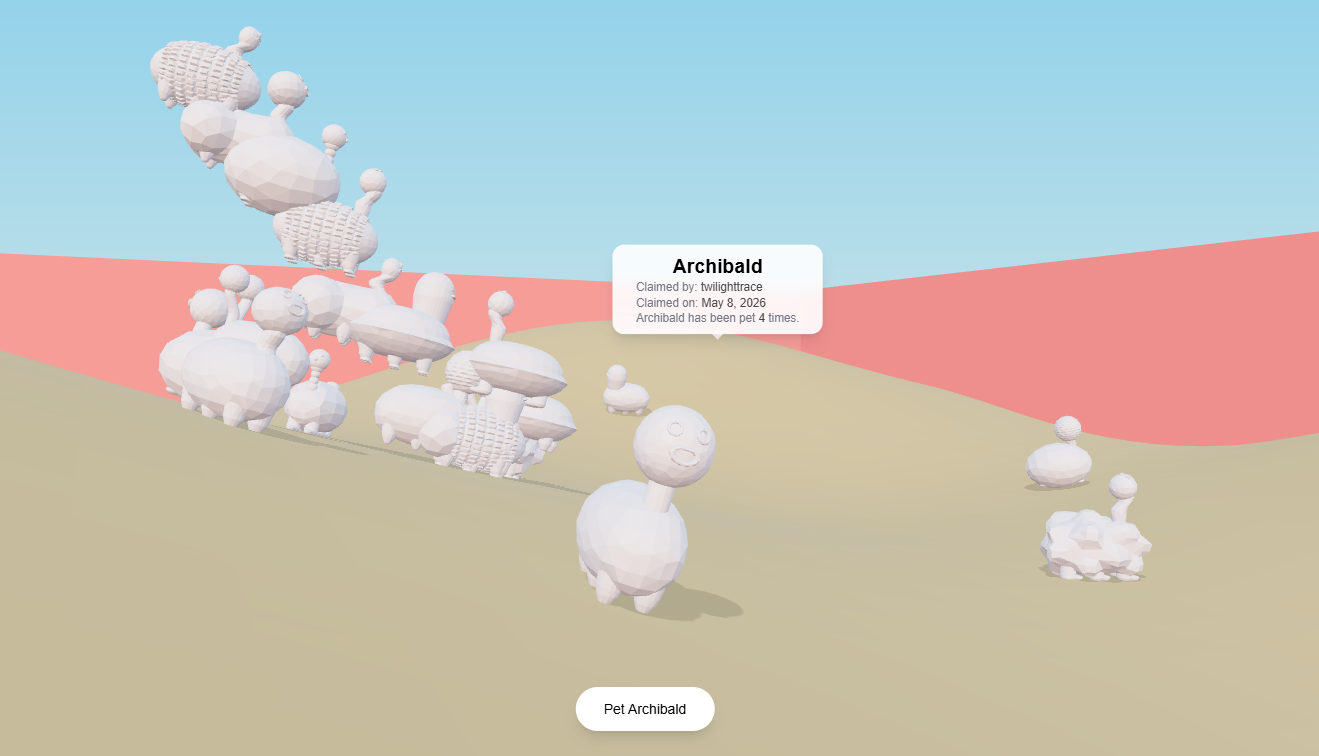
On the website, creatures can walk around a small environment, stack on top of each other, and be pet by users.
Accomplishments
Novelty
This project was very successful in the sense that it clearly felt exciting to our test audience of about 30 of our classmates. People generally had very positive reactions when they saw the creatures, and when they redeemed them digitally and began interacting with them. I have also been told that several of my classmates still have their creature sitting on their desks in their dorms, over 4 months later.
Simple but Effective
I think that this project struck a really nice balance between being a simple experience while still being exciting. When it comes to the physical toys, it is inherently fun to receive a cute creature, and it's a bonus that you know it's completely unique. At the same time, there is an exciting element of it having a digital twin for you to interact with.
We wanted the interactions on the website to be intuitive and dead simple (partially because we didn't have that much development time), while still engaging people. So, I came up with a few ideas:
- Petting a creature
- Moving your creature
- Stacking your creature
Petting a creature is the simplest interaction. It is simply a button you can press to pet any creature, and each creature has a count of how many times it's been pet. There is a slight cooldown period between pets, and the general idea was just to give users a number that can go up, because numbers going up is always fun.
You are also able to walk your creature around the digital environment. The main interest here was to let people "find" each other, and group up with their friends.
In my opinion, the most interesting interaction is stacking your creature. This lets your creature climb on top of another creature, literally standing on their back. Another creature can then climb on top of that creature, and so on, meanwhile each creature displays it's current position and the total number of creatures in the stack. This is really fun for a few reasons:
- It's silly, whimsical, and unexpected.
- It gives people something to work towards together: creating the biggest stack.
- It gives you something to compete for: you can try to get your creature on top, or to make a bigger stack than others.
Together, all of these interactions make the digital part of the experience a lot more memorable, and they weren't too difficult to actually implement either.
What I Learned
Production Pipeline
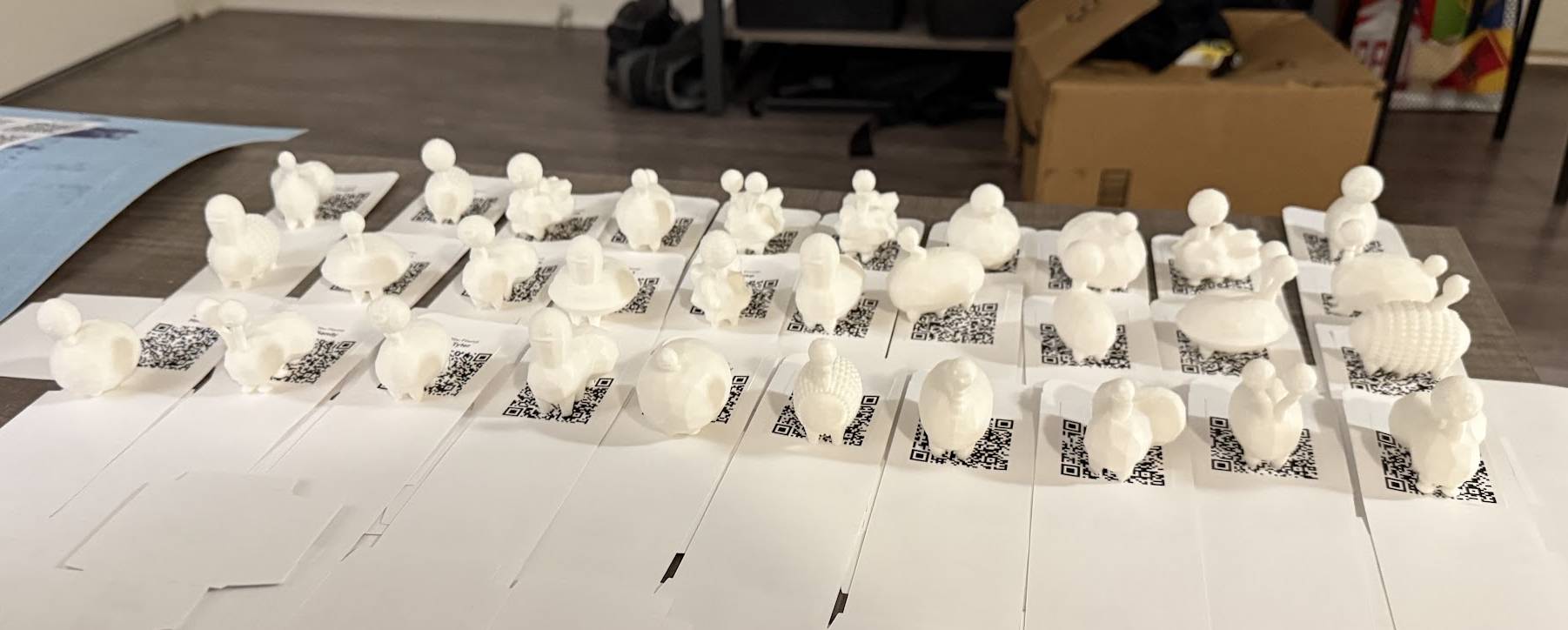
This project was uniquely complex in the organization it required, since each creature needs to be unique and also have a digital twin.
There were some surprisingly complex steps involved in this project:
- We needed to generate the creature designs, and ensure they were all unique.
- We needed to upload that design to the website's database and give it a name.
- Using the creatures' IDs in the database, we created custom QR codes.
- When packaging, we needed to make sure the QR code actually matched the physical creature in the box.
All of these steps could be broken down into several substeps, but they are just an example of how the whole production pipeline was connected.
I learned a lot about which parts of the process we organized well, and which parts we would definitely need to improve if we scaled up this project.
For example, we checked that each creature was unique by simply manually reviewing each design by eye. This is prone to error and would be impractical at scale. Instead we would want to implement a system that tracks which type of each body part each creature has, and then scans through the database to ensure the new head, body, and leg combination hasn't been used before.
At the same time, our process for printing the creatures and QR codes was pretty well organized. We printed the creatures in two batches of 15, saving a lot of printing time.
The QR codes were generated automatically by a script that accessed our website's database, which made that part of the process much more efficient. Then, they were printed in batches (again using a script) and cut out by a Cricut, which was pretty quick.
In the future, I think it would be a fun project to really refine this pipeline so that we could operate on the scale of creating thousands of creatures.
Geometry Nodes in Blender
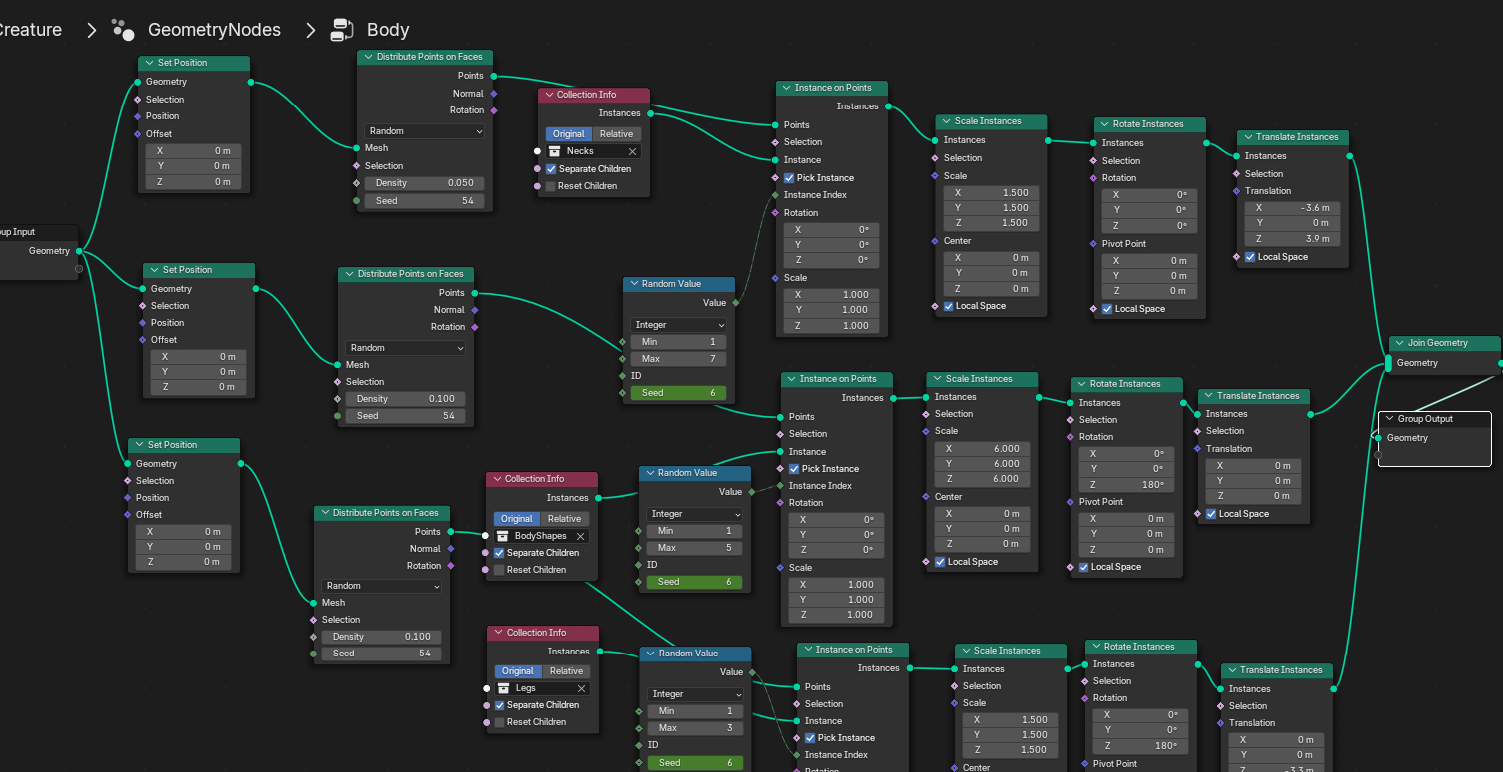
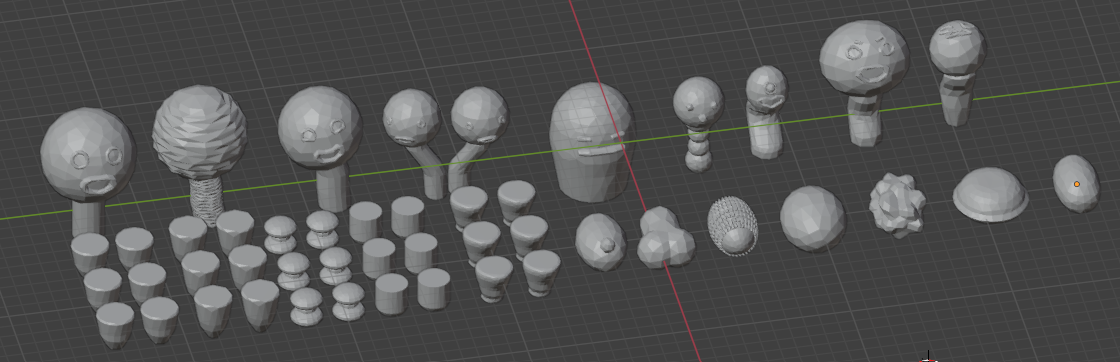
By using Geometry Nodes in Blender, we were able to create a modular system to create unique creatures. In total we designed only a handful of heads, bodies, and legs, but these few parts lead to thousands of potential unique creatures.
Geometry Nodes were used on earlier iterations of the project to generate things such as hair and sets of legs dynamically, but in the end we decided this wasn't necessary for our final concept.